I am taking algorithms course in coursera.
Monday, April 28, 2014

Wednesday, April 23, 2014
Python week 4
Week 4 of coursera.
Been busy with odd jobs just not able to finish the assignments and be done with it.
I hope to complete all video lectures and assignments today.
Been busy with odd jobs just not able to finish the assignments and be done with it.
I hope to complete all video lectures and assignments today.
Sunday, April 20, 2014
Julia Meetup
I had an amazing experience organizing the first Julia meetup in Inmobi with Abhijit and Kiran.
Gave my first formal open source talk and it felt great.
Link to my slides - http://www.slideshare.net/KrishnaKalyan3/julia-meetup-bangalore

Gave my first formal open source talk and it felt great.
Link to my slides - http://www.slideshare.net/KrishnaKalyan3/julia-meetup-bangalore
Friday, April 18, 2014
Distributed Cache - Pig
I had been trying to use Distributed-Cache in Pig.
After a lot of trial and errors behold SUCCESS!
Lets get to the meat.
Lets go through the steps.
a)Create an Eval UDF
b)Initialize Distributed Cache using getCachedFiles()
c)Initialize the Data Structure using step b.
d)Finally apply your logic on the data.
After a lot of trial and errors behold SUCCESS!
Lets get to the meat.
Lets go through the steps.
a)Create an Eval UDF
b)Initialize Distributed Cache using getCachedFiles()
c)Initialize the Data Structure using step b.
d)Finally apply your logic on the data.
Saturday, April 12, 2014
Python Week 3
Week 3 was easy. I also managed to score a whooping 92% in the test.
I am enjoying the mini assignments. Hope to complete every thing.
Cheers!
Krishna
Tuesday, April 8, 2014
Python Week 2
I completed the mini project however i forgot to give my weekly quiz :( . I was mad at my self for doing this after long research i found that i would be loosing around ~2% from my final score.
:(
:(
Wednesday, March 26, 2014
Learning Python
Just for the record i am a big fan of python. Main reason my frustration with JAVA.
I am taking the interactive python course in Coursera.
Just finished week 0.
Wish me luck. I want to complete at least 1 MOOC fully.
Will post weekly updates on how it goes.
HBase
I have always excited with the NOSQL hype. End result HBase certification.
I took up the cloudera certification.
My thoughts:
It was a good investment of time and money.
Really exposes you to BigData NoSql Space.
It improved my over understanding of the NoSQL BigData Eco-System.
Now off to prepare for the Cloudera Admin Program.
Cheers!!
I took up the cloudera certification.
My thoughts:
It was a good investment of time and money.
Really exposes you to BigData NoSql Space.
It improved my over understanding of the NoSQL BigData Eco-System.
Now off to prepare for the Cloudera Admin Program.
Cheers!!
Wednesday, February 26, 2014
Tuesday, November 26, 2013
HBase : Filters
All filters are implemented on the server side.
This is called predicate push down.
You can define a new instance of the filter by using
setfilter(filter)
a)Comparison Filters
Row Filter:
Gives the ability to filter data based on rowkeys.
Family Filter:
Used to filter column Families. Data is retrieved in a column family level.
Qualifier Filter:
Used to filter out specific column qualifier.
Value Filter:
Used to filter out columns with a specific value.
Dependent Column Filter:
It uses timestamp as the reference column and includes all other columns. It lets you specify a dependent column.
b)Dedicated Filters
SingleColumnValueFilter:
This filter is used when you have exactly one column that decides if an entire row should be returned or not.
SingleColumnValueExclude Filter:
This is an exclude filter. You will not get the column as a part of your result.
Prefix Filter:
All rows that match this prefix are returned the client.
Page Filter:
You specify the pagesize for your filter. This controls how many rows per page should be returned.
.....
More Later..
This is called predicate push down.
You can define a new instance of the filter by using
setfilter(filter)
a)Comparison Filters
Row Filter:
Gives the ability to filter data based on rowkeys.
Family Filter:
Used to filter column Families. Data is retrieved in a column family level.
Qualifier Filter:
Used to filter out specific column qualifier.
Value Filter:
Used to filter out columns with a specific value.
Dependent Column Filter:
It uses timestamp as the reference column and includes all other columns. It lets you specify a dependent column.
b)Dedicated Filters
SingleColumnValueFilter:
This filter is used when you have exactly one column that decides if an entire row should be returned or not.
SingleColumnValueExclude Filter:
This is an exclude filter. You will not get the column as a part of your result.
Prefix Filter:
All rows that match this prefix are returned the client.
Page Filter:
You specify the pagesize for your filter. This controls how many rows per page should be returned.
.....
More Later..
Saturday, October 19, 2013
Putty : Network Error Permission Denied
Well after googling for more than 3 hours i figured out why i was not able to SSH to my VM.
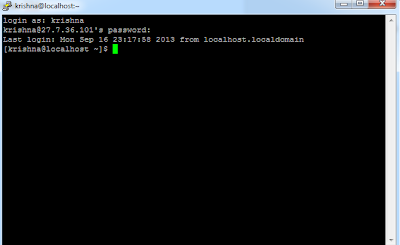
Error: Network Error : Permission Denied.
Solution : Open Putty from any drive other than C:\ (DONT INSTALL PUTTY IN C:)
I copied Putty to my D:\\ . I was able to SSH to my VM.
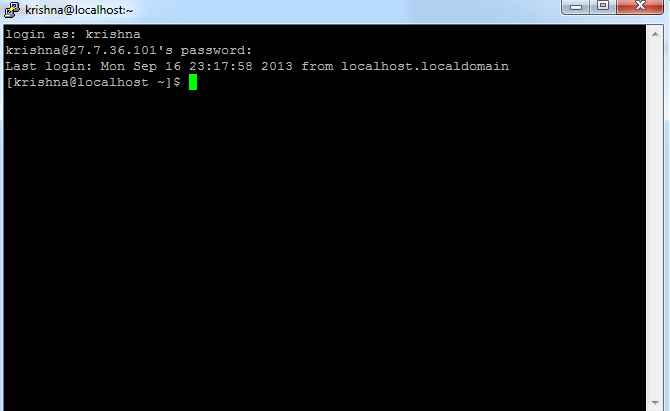
(My Session on Putty)
Friday, September 20, 2013
Simple R Scatter Plo
x=c(13,16,14,11,17,9,13,17,18,12)
y=c(6.2,8.6,7.2,4.5,9.0,3.5,6.5,9.3,9.5,5.7)
length(x)
length(y)
plot(y~x,pch=19,col="blue",xlab="X axis",ylab="y axis",main="Scatter Plot Diagram")

y=c(6.2,8.6,7.2,4.5,9.0,3.5,6.5,9.3,9.5,5.7)
length(x)
length(y)
plot(y~x,pch=19,col="blue",xlab="X axis",ylab="y axis",main="Scatter Plot Diagram")

Data Science
My technical Goals:
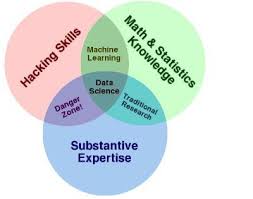 a) Learn Stats

b) Figure Out R
c) Learn Python
d) Figure out HBase / Hadoop
e) Learn the art of Visualization
I am sure with a bit of luck and effort i will get there.
Now In Focus : R Statistics
Expect more posts on Math :P
GitHub 2
I recently help some friends learn Git!!... here is the code to do stuff on GitHub...
// Installing Git on Ubuntu
sudo
apt-get install git-core
//Git version
Git –version
//Add Colors to console
git
config --global color.ui auto
// Status of Repo
git
status
//Structure of Git
Tree
.git
//See branches
Git
branch -a
//See the origins
Git
remote –v
//See the log
Git
log
//See the recent changes
Git
whatchanged
//Deleting Remote Origin
git
remote rm origin
1st
Creating Identity
//Global User Name
git
config --global user.name "Example Surname"
//Global Email
git
config --global user.email "your.email@gmail.com"
2nd
Creating A Repo
//Initialize Git
Git
init
//Make Changes to repo
//Stage your Changes
Git
add README
//Commit the Staging area
Git
commit –m ‘my first commit’
//Creating a URL linking to your repo
git
remote add origin https://github.com/krishnakalyan3/Nousinfo
//Pushing your commit
git push origin master
//Make changes in repo
//To see the difference between the master
and local
git fetch origin
git diff master origin/master
(git
merge origin/master)
//Pulling from Origin
git pull origin master
3rd
Forking
//Fork 1st + Copy the address
and use the url to clone
Git
clone
//Create a branch
Git branch
//Checkout to the branch
Git checkout
//Create changes to that branch
Gedit
…..
//Maybe do a status
//ADD and Commit
//Push it to the
Git push –u origin
//Check it out to update the file system
Git checkout master
Tuesday, September 3, 2013
GitHub

Lately i have been experimenting with Git. Its a whole new way to code. I was really impressed with their philosophy Social Coding. That means more sharing :).
My new git hub repo.
https://gist.github.com/krishnakalyan3
If you want to learn Git follow the links below.
http://www.youtube.com/user/GitHubGuides
http://www.codeschool.com/courses/try-git
Subscribe to:
Posts (Atom)